

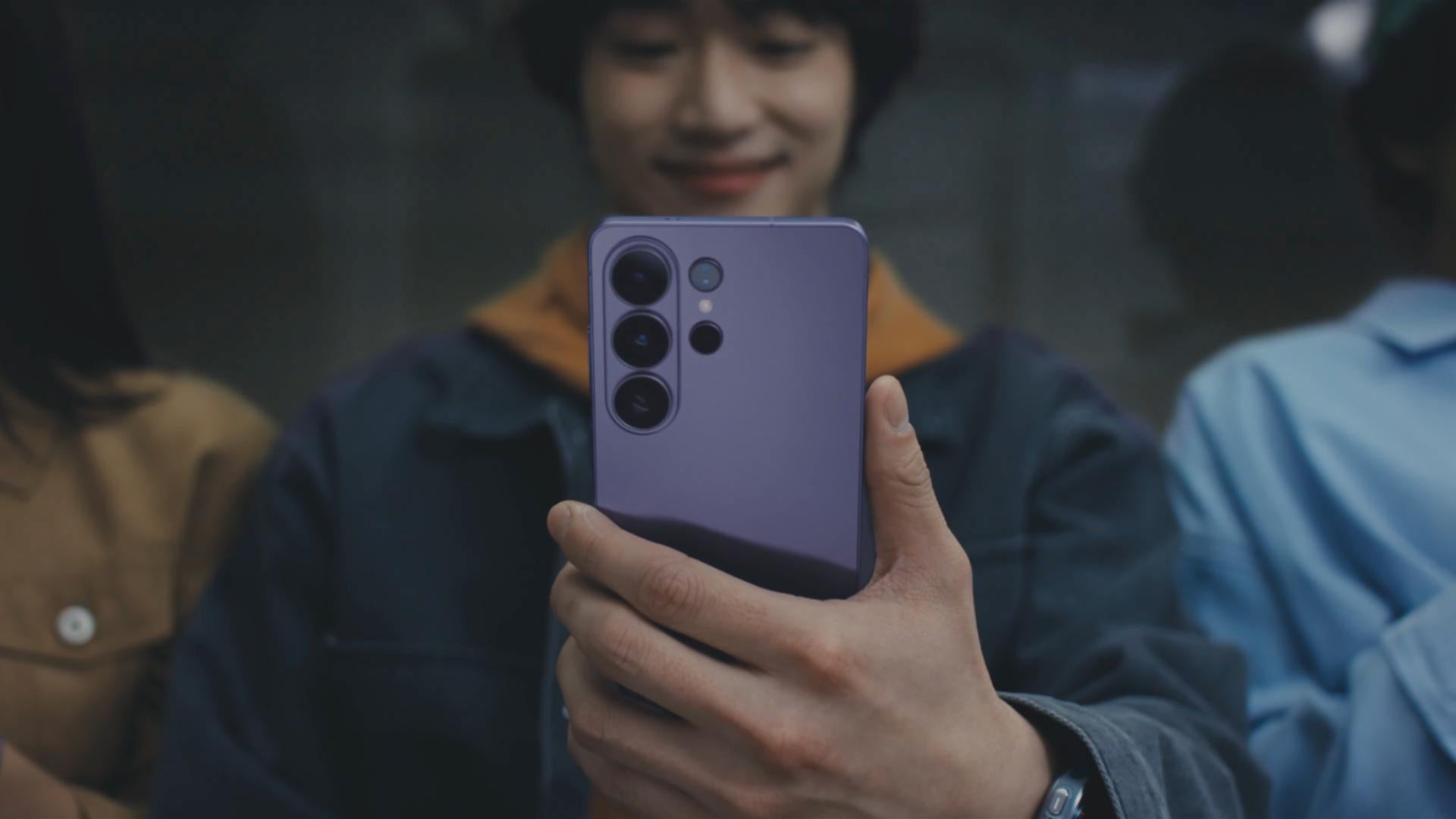
High-end hardware, more powerful cameras, and intuitive AI experiences. Again, Samsung positions these three as the cornerstones of its flagship hardware launched in their latest Galaxy Unpacked event held last February 25 in San Francisco.
As expected from yearly updates, the actual phones aren’t too different from the previous generation, with Samsung opting to hype performance, optimization, and AI processing. Indeed, a lot of the differences this time boil down to the features built into this new generation of phones.
Nonetheless, there’s still some hardware to discuss and check out:
Order the Samsung Galaxy 26 Line Today!

Still, if you’re interested in testing out all of these new features yourself, then we’re happy to confirm that the whole Samsung Galaxy S26 lineup is available for order here at Kimstore:
• Order the Samsung Galaxy S26 today!
• Order the Samsung Galaxy S26 Plus today!
• Order the Samsung Galaxy S26 Ultra today!
That’s not all though. You can also get all of the following FREEBIES when you shop for a new Galaxy S26 model, regardless of device, color, or storage configuration. Check it out:
• SMART Prepaid Power LTE + 5G Ready SIM
• Ugreen 30W GaN Charger
• Jaguar Electronics PB293 20,000mAh Power Bank
• Kazumi We Bare Bears 4.5L Air Fryer
The Samsung Galaxy S26 Ultra takes the spotlight!

Onto the phones. To be fair, Samsung opted to just shine the spotlight on the Galaxy S26 Ultra specifically, using it to showcase all the latest hardware and software features. And right away, we can already see that they’re continuing the thin-and-light flagship trend started by the S25 Edge and the Galaxy Z Fold7.
Like with Apple, titanium is out and Armor Aluminium is back in, allegedly to shave even more weight and millimeters from the phone. It's also less “boxy” as the previous Ultra phones, making it resemble the Galaxy S26 and S26 Plus a bit more.
To help temper its custom Snapdragon 8 Elite Gen5, Samsung has implemented a redesigned vapor chamber and some new thermal material around the processor, helping it stay cool even while gaming or capturing video.
Funnily enough, the S26 lineup uses LPDDR5X RAM from both its own in-house company as well as its competitor, Micron. Just a reflection of the ongoing RAM problem affecting all sorts of electronics this year.
New Privacy Display!

Worried about other people peeping on your screen when you’re using your phone in public? The Samsung Galaxy S26 Ultra now comes with a built-in Privacy Display; a feature you used to need a dedicated accessory for. It does this by taking advantage of OLED’s innate properties, turning off pixels that allow the light to seep through the sides of the phone.
The best part about this new feature is that it doesn’t just block the left and right sides. It also extends to cover the top and bottom parts of the phone. All of it is customized via the software too, allowing you to set it on a per-app basis. You can leave it off for say, games, and keep it on for apps like GCash or other essentials.
Sure, you lose a bit of brightness with the feature active but it’s definitely a worthwhile tradeoff on the off-chance you need to check out sensitive files or information while commuting on the train or something. You can even toggle it from Samsung’s Quick Panel if needed.
Upgraded Cameras for the S26 Ultra!

The S26 Ultra sports a familiar four rear camera array as its predecessor though two of its lenses had their apertures widened. The 200MP primary camera has been bumped to an f1.4 aperture, while the 50MP periscope telephoto has been bumped up to F2.9.
For those who aren’t too technical with camera specifications, wider apertures allow more light to reach the sensor, which should further help with the phone’s low-light capabilities as well as a slightly more pronounced background blur or “bokeh” effect.
24MP Shooting & Other Features

Want to go beyond your usual binned 12MP photos without getting as large as the full 50 or 200MP offered by the S26 Ultra? You can now shoot in 24MP mode provided you download Samsung’s Camera Assistant app from the Galaxy Store, which should enable it on your default Camera app.
This way, you get a good balance of file size, clarity, details, and dynamic range across your photos. However, it’s still unclear whether this feature will trickle down to older models like the Galaxy S25 Ultra.
Additionally, there’s also Creative Studio which can take the photos you capture and turn them into stickers that you can set as wallpapers, contact cards, and even greeting cards you can give out. It runs on natural language too so you don’t need to worry about using more technical keywords and the like.
Shop for the best Samsung Galaxy devices here at Kimstore and enjoy bigger discounts on each purchase!
New AI Tool: Now Nudge

This is for people who do like using AI assistants to really get the most out of their day-to-day phone use. Samsung’s Now Nudge essentially acts like Pixel’s Magic Cue but designed to work with Samsung Keyboard which is the default one you use in any Galaxy device.
Anyway, Samsung claims that Now Nudge has two main use cases: helping you get things done quickly or recalling information you might need. It’s essentially smart suggestions but bigger and more AI-powered.
For example, you might be chatting and making dinner plans with a friend. In this case, Now Nudge can offer suggestions directly while you’re still in the messaging app. No need to tab out and go into a different browser or app, letting you continue your chat.
Note that you do need to be logged into a Samsung account in order to use the feature. However, it does work on several messaging platforms like Samsung Messages, Google Chat, WhatsApp, LINE, Signal, and many others.
The Samsung Galaxy Buds4 gets even more exclusive!

Aside from the new Galaxy S26 phones, Samsung also showed off the new Galaxy Buds4 wireless earbuds. Looks-wise, they still look kind of like AirPods, no thanks to that stem design they’ve implemented. It’s a lot less boxy compared to the Galaxy Buds3 though, which some may appreciate outside of just the performance improvements.
There’s two models you can choose from. There’s the base Galaxy Buds4 which uses an open-fit design that doesn’t require a dedicated tip. Then there’s the Galaxy Buds4 Pro which is slightly heavier and uses a proprietary eartip-locking system that makes it hard to replace with 3rd-party options.
A new charging case design has been adapted so the Galaxy Buds4 now lies flat instead of sitting vertically. They’ve also kept the translucent lids so users can easily see if they’ve actually placed the Buds back in the case.
They’re a bit more exclusive when it comes to some of the features however. Things like Adaptive EQ 2.0, 360° audio, automatic switching, and even head gestures still only work best when you actually pair the Buds with a Galaxy phone.
For gadgets and electronics, get it at Kimstore!


